For developers and agencies
Build the restaurant's ordering site with your AI agent.
You make the look. Okam works out every price, and the guest pays themselves. Behind the site, the restaurant gets a kitchen screen, Backoffice and more.
- Free to build and test
- No sign-in
- A test restaurant with a menu and prices


Connect your agent to Okam
One address for the agent: https://api.okam.no/mcp. No sign-in to build.
 Claude Code
claude mcp add --transport http okam https://api.okam.no/mcp Codex
Codex
codex mcp add okam --url https://api.okam.no/mcp

 Lovable, Bolt and v0
Paste the text below. The agent can learn the rules there, but the site has to be tested on your own computer before it is ready.
The agent needs to run the site and a test on your own computer. So build in a tool that runs locally.
Paste into your agent
Replace [restaurant] with the name, and add the restaurant's brief.
Connect to the Okam MCP at https://api.okam.no/mcp. Call kit_learn with the framework from package.json (next, astro, vite-react or html) and follow its steps. Read the topics it names with kit_docs_get. Build the ordering site for [restaurant] from my brief, with the sandbox key it gives you, running on http://localhost. Done means storefront_verify_result has no FAIL; report any WAIT. Run verify while the test restaurant is open (10–22 Oslo time).How it works
- The agent learns the rules
It gets the rules, the steps and a test key from Okam.
- It builds the site in your design
The menu and the prices come from a test restaurant at Okam.
- Okam checks the site
A test on your computer says what works and what is missing.
Why Okam
The website is only the start. Everything below comes with it, and none of it is yours to build.
The POS is a choice, not a requirement. Online ordering, the kitchen screen and Backoffice each work on their own, also without the Okam POS. The restaurant can keep the till it has.
Everything that comes with it
Menu
- Menu by time of day Show a category only on some days and hours, like lunch on weekdays.
- Sold out and stock Sold out for today or until a date, then the dish comes back by itself. Stock counts down.
- Options and add-ons Groups of options, each with its own price, and a cap on how many the guest can pick.
- Allergens The 14 allergens on every dish, on the website and in red on the kitchen screen.
- A price for delivery Different prices for eat-in, pick-up and delivery on the same dish.
- Import the menu Upload the menu as a PDF, a photo or Excel, and it becomes dishes you can edit.
Kitchen
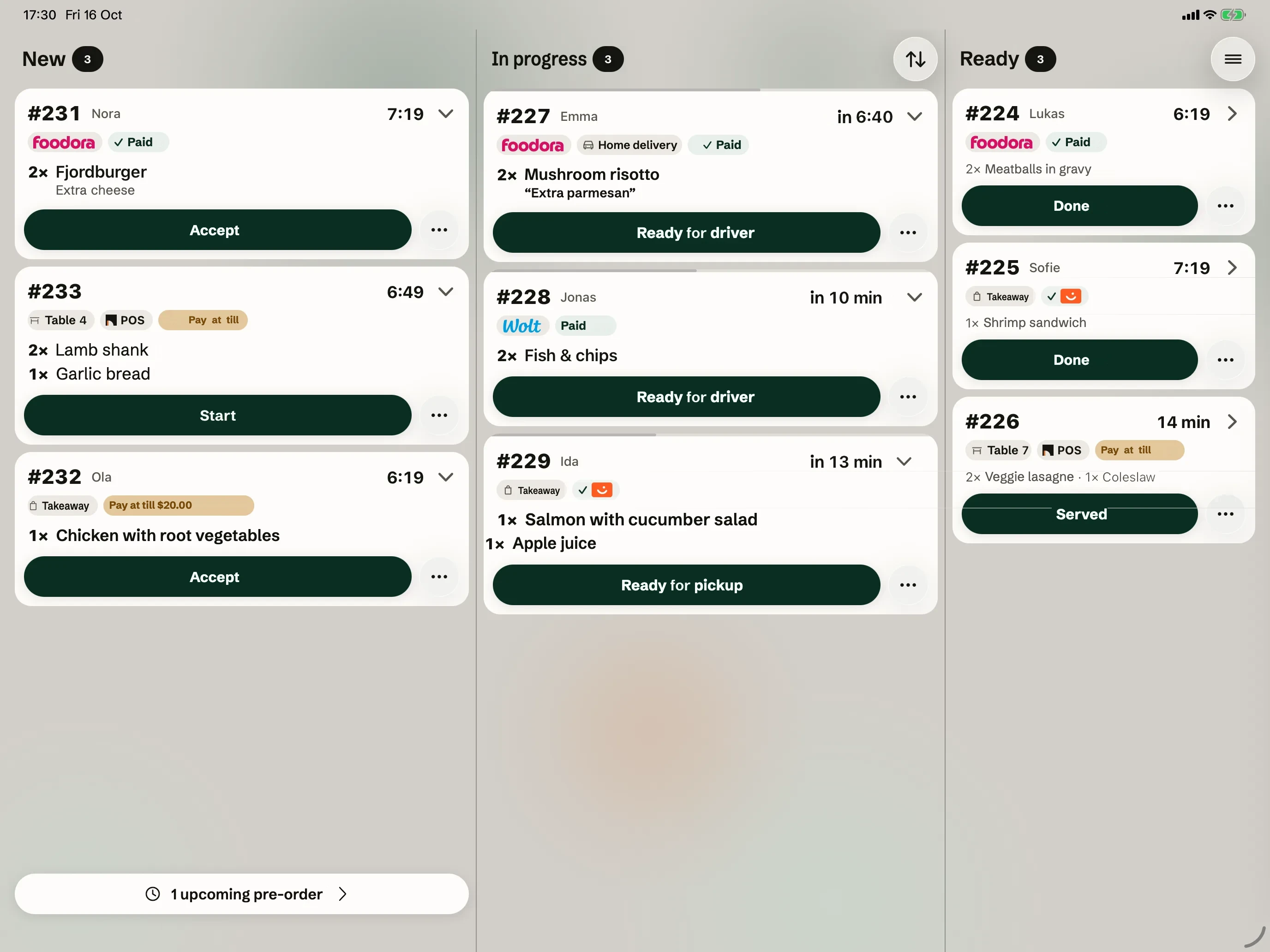
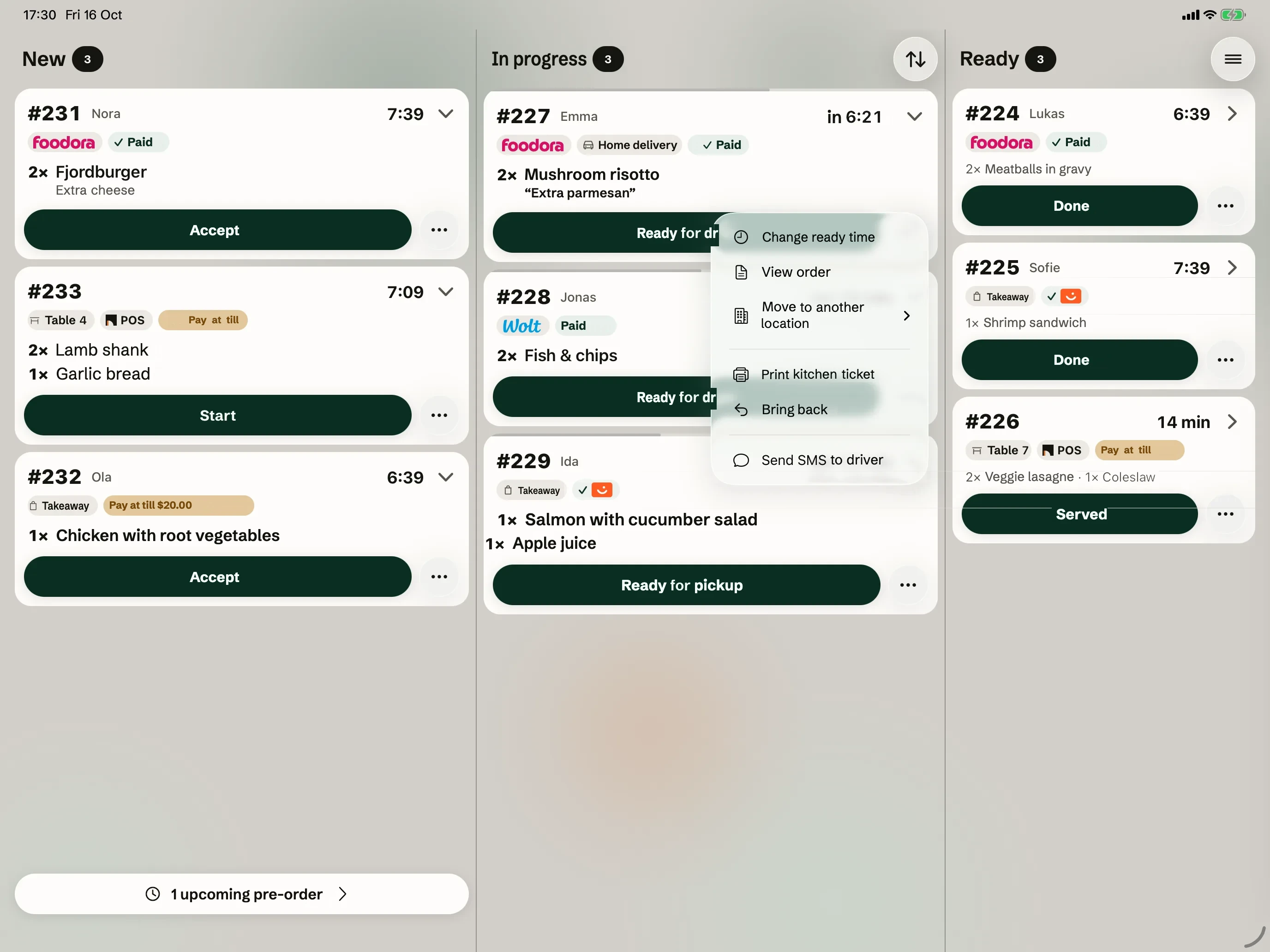
- Wolt and Foodora in one queue The website, the tables, Wolt and Foodora on the same kitchen screen.
- One menu everywhere Change a dish or mark it sold out, and Wolt and Foodora follow.
- Ready time by SMS The kitchen sets the ready time, and the guest gets an SMS when it changes.
- Kitchen tickets Tickets print on a Bluetooth printer. You choose which dishes print.
- SMS to the driver Send the order and the address to the driver with one tap.
- Orders for later Orders for later wait until it is time, also those placed while you are closed.
Payment and accounts
- Vipps, card and Klarna Vipps, card, Apple Pay, Google Pay and Klarna online, and a tip if the guest wants.
- VAT by delivery type The right VAT for eat-in, pick-up and delivery, set once per goods group.
- Fiken and Tripletex Sales are posted to the accounts every night. We set it up for you.
- Settlements and SAF-T See what has been paid out, download the report and send the SAF-T file to the accountant.
- Invoices to companies Business customers pay by invoice over EHF. The company is looked up in the Norwegian register.
- The POS, if you want it The Okam POS sends to the same kitchen screen, splits the bill and closes the day.
Guests
- Discount codes Percent or kroner, on the whole order or single dishes, with a limit and an end date.
- Rewards Guests get money back on what they buy, also across your restaurants.
- Customer list See who orders, what they like, and who has not ordered in 30 days.
- Tables and booking A floor plan on the POS, and guests who book and cancel themselves.
- A QR code for ordering Put up the QR code, and guests order from their phone.
- Your own app The restaurant can get its own app in the App Store, with its own name.
Running the place
- Opening hours Regular hours, holidays and days with other hours, also past midnight.
- Delivery and Wolt Drive A price by distance and a minimum order. Your own drivers, or Wolt Drive delivers.
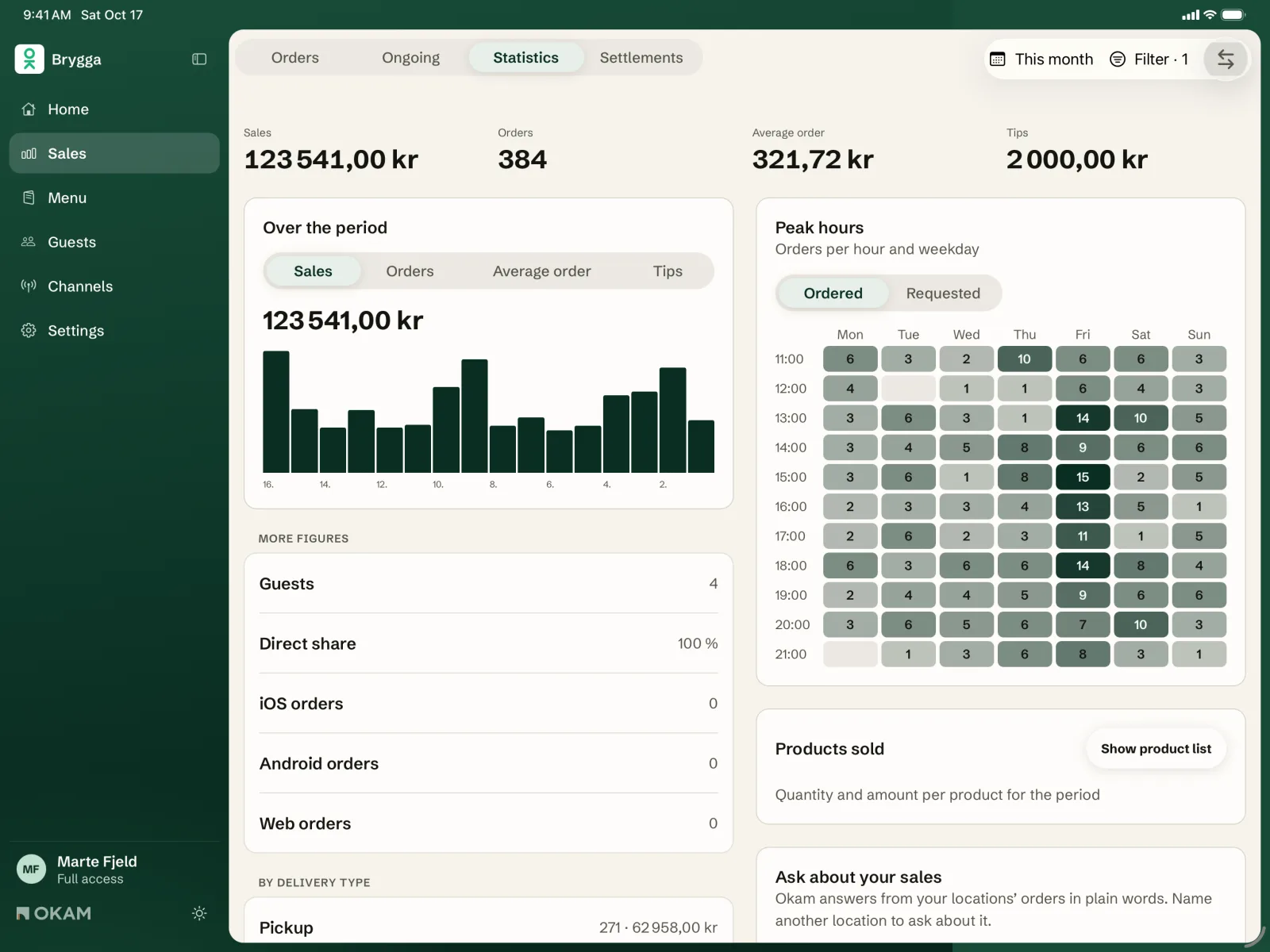
- Statistics Sales, busy hours, the best-selling dishes and sales by channel.
- Several restaurants Switch between places, copy dishes between them and see all the orders together.
- Access per employee Each employee sees and changes only what they should.
- Staff rota See what the week costs before you publish the plan. Staff get it when it is ready.
And more: the restaurant sets it all up in Backoffice itself. See all the products
Free to build
Building and testing cost nothing. The restaurant pays no commission on orders from its own site. Building for several restaurants? Write to kontakt@okam.no.
What Okam takes care of
Okam works out every price. The site only shows it.
Vipps, cards and invoice are ready from the start, with strong security you never have to think about. The guest taps Pay themselves, and the site never sees card details.
Items, prices, allergens and opening hours come straight from Backoffice. When the restaurant changes something, the site shows it at once.
Okam calculates the right VAT for delivery, pickup and eat-in, issues the receipt and shows the allergens as the law requires.
The order goes straight to the kitchen screen and the till, with nothing in between.
The site has no secret keys. It talks to Okam only through Okam's own package, @okam-as/storefront. The MCP address is for the agent only.
Brief for your web person
Are you the restaurant? Copy the text and send it to whoever makes your website.
Hi! We use Okam. Could you build ordering into our new website? Connect your AI agent (for example Claude Code, Cursor or Codex) to https://api.okam.no/mcp, and ask it to run kit_learn first. Building and testing are free, with no sign-in. Okam works out the prices, and the guest pays themselves. More: https://okam.no/en/for-developers
What is MCP?
Do I need an account?
Does the restaurant have to use the Okam POS?
What is the test restaurant?
When can the site take real orders?
Does it work in Lovable, Bolt or v0?
Is there a limit?
Can you make the site for us?
For agents
Machine-readable version: /en/for-developers.md and /llms.txt.