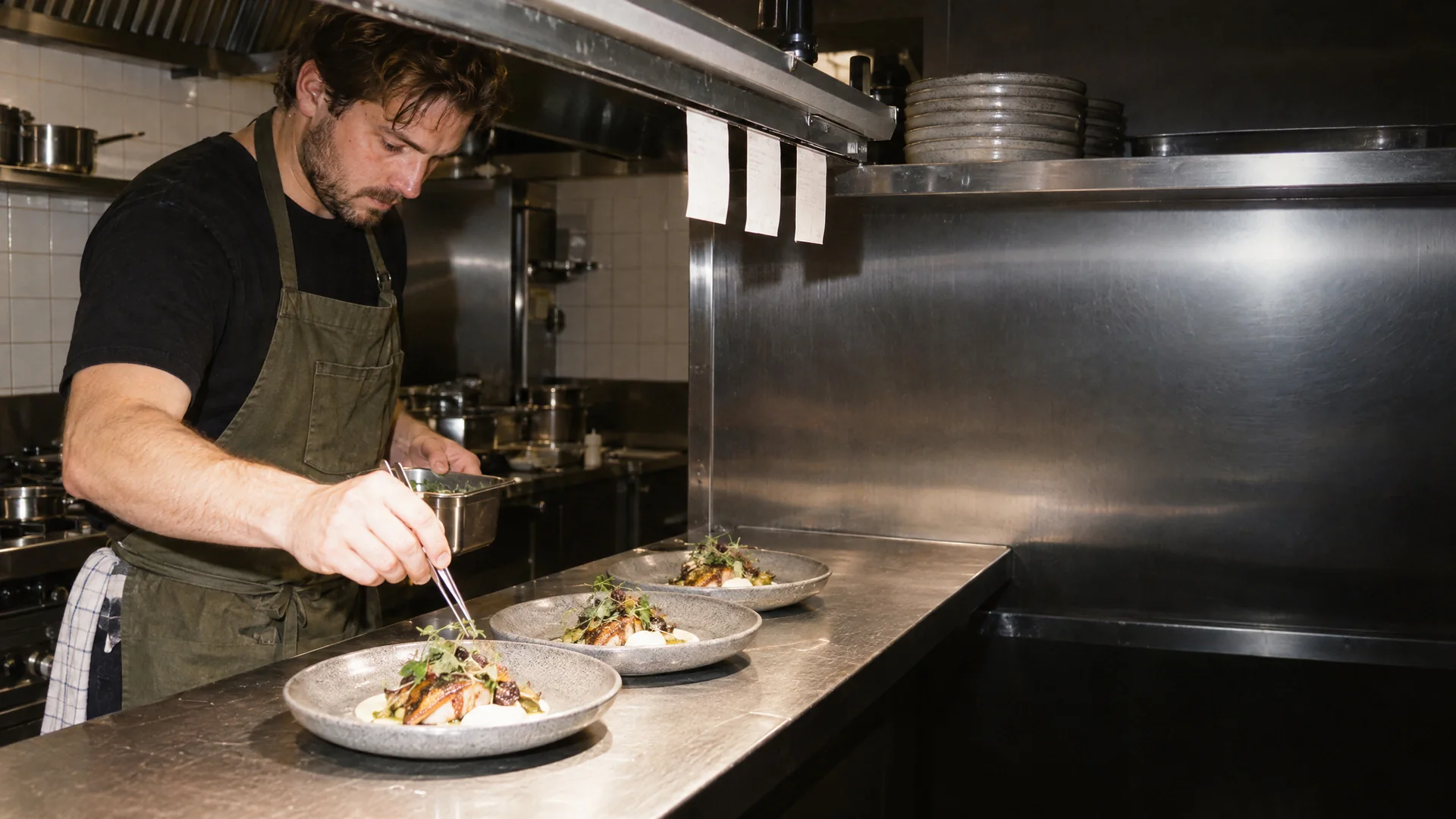
Kitchen screen for restaurants
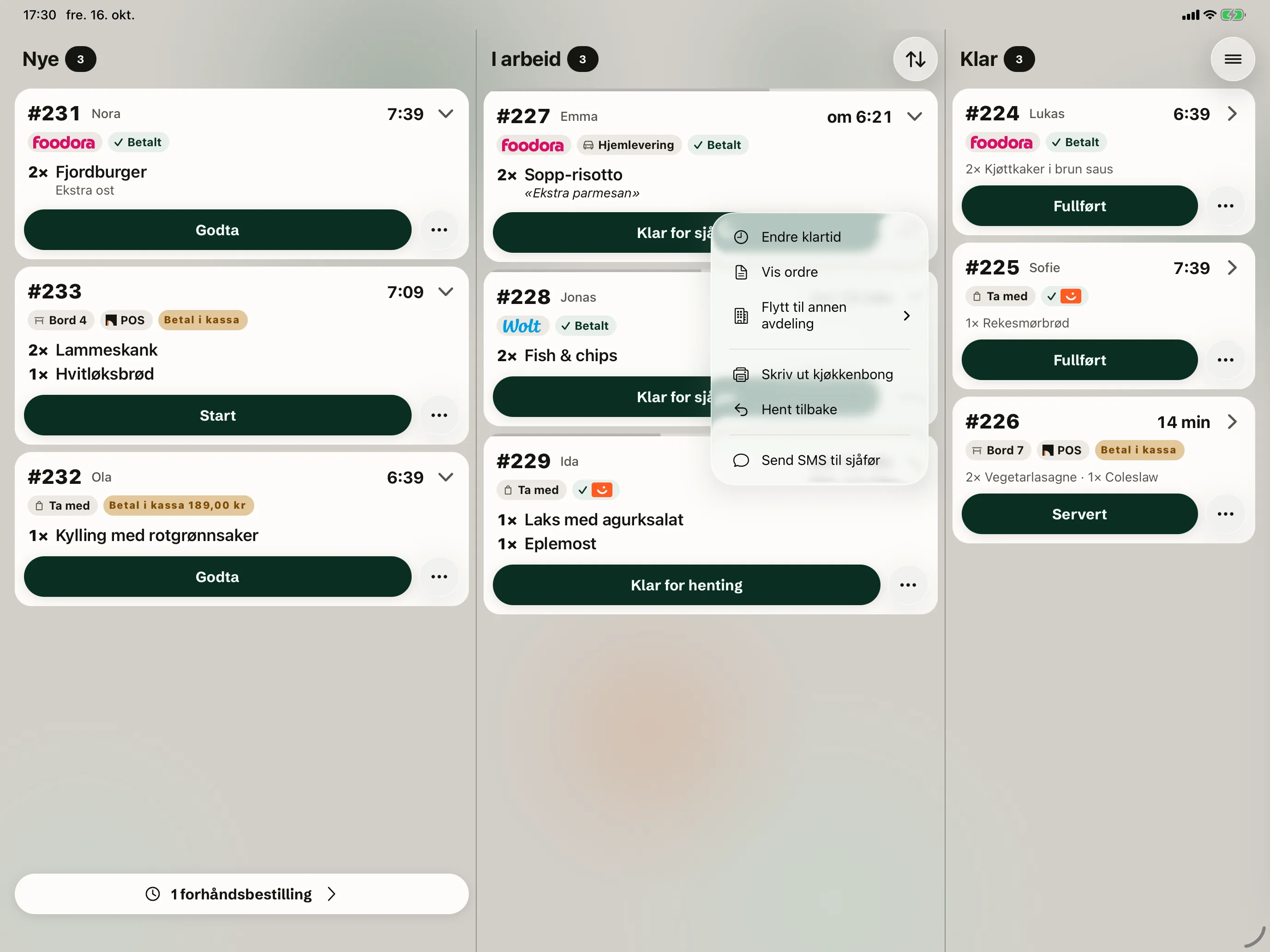
New, In progress, Ready. On one screen.
The kitchen screen is an app for iPad and iPhone. Tables, online orders and orders from Wolt and Foodora land in the same queue. You don't need separate tablets. Allergies are shown in red under the dish.
Tables, online orders and orders from Wolt and Foodora land in the same queue. You don't need separate tablets. Allergies are shown in red under the dish.
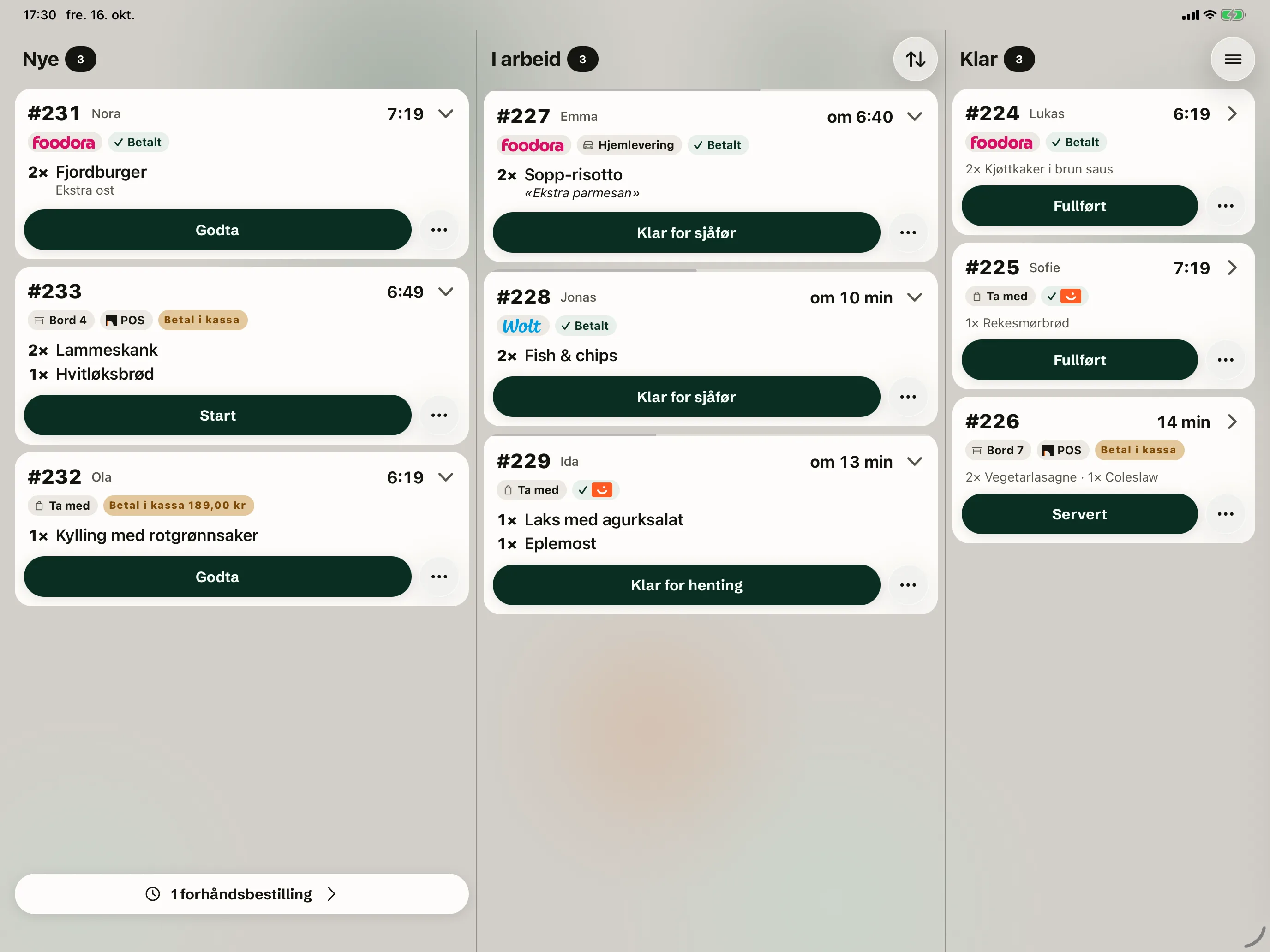
Three columns, so everyone sees what's next.
Tables and takeaway sit in the same column. The allergy is in red, right under the dish. If the kitchen wants paper, every new ticket prints automatically on a Star printer.
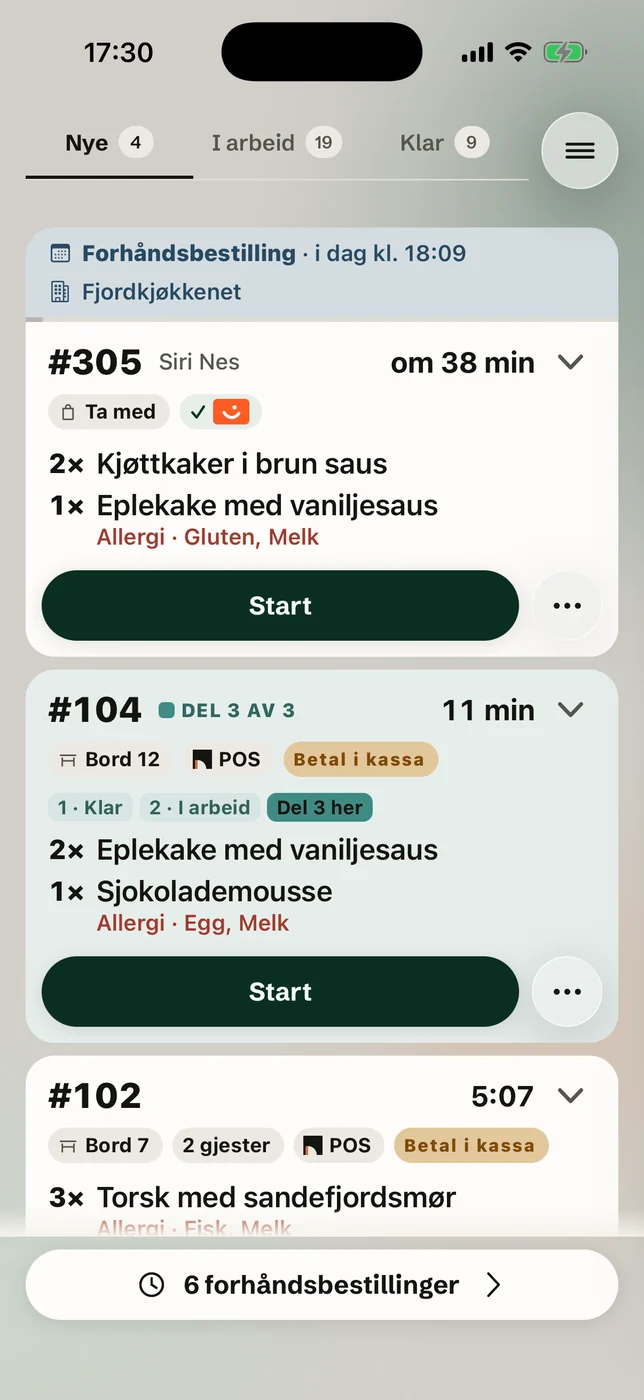
The kitchen gets this too.
Ready time is changed from the ticket's menu, and a ticket cleared too early is recalled with one tap.
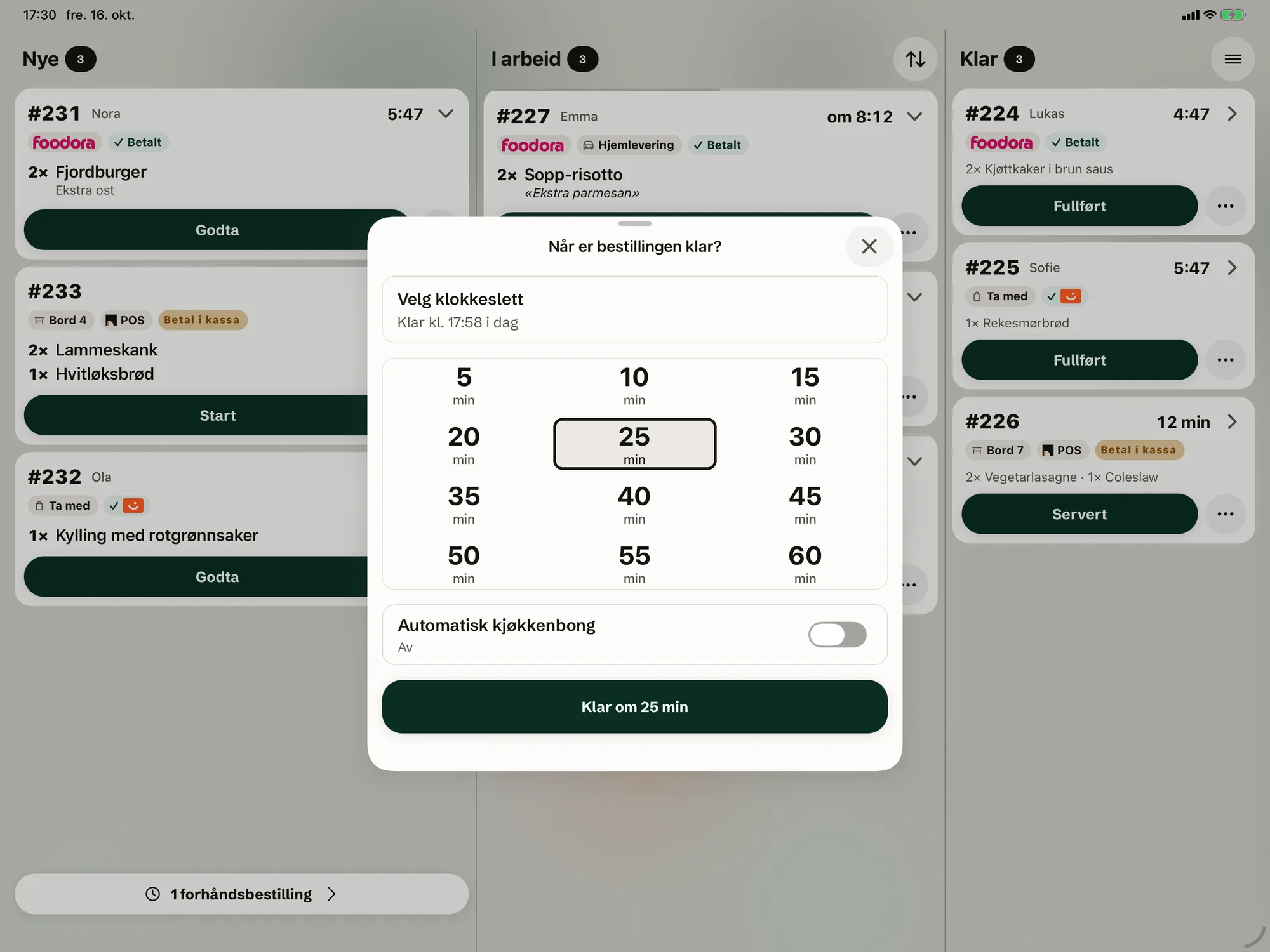
When the kitchen accepts an online order, it picks when the food will be ready, from 5 to 60 minutes.
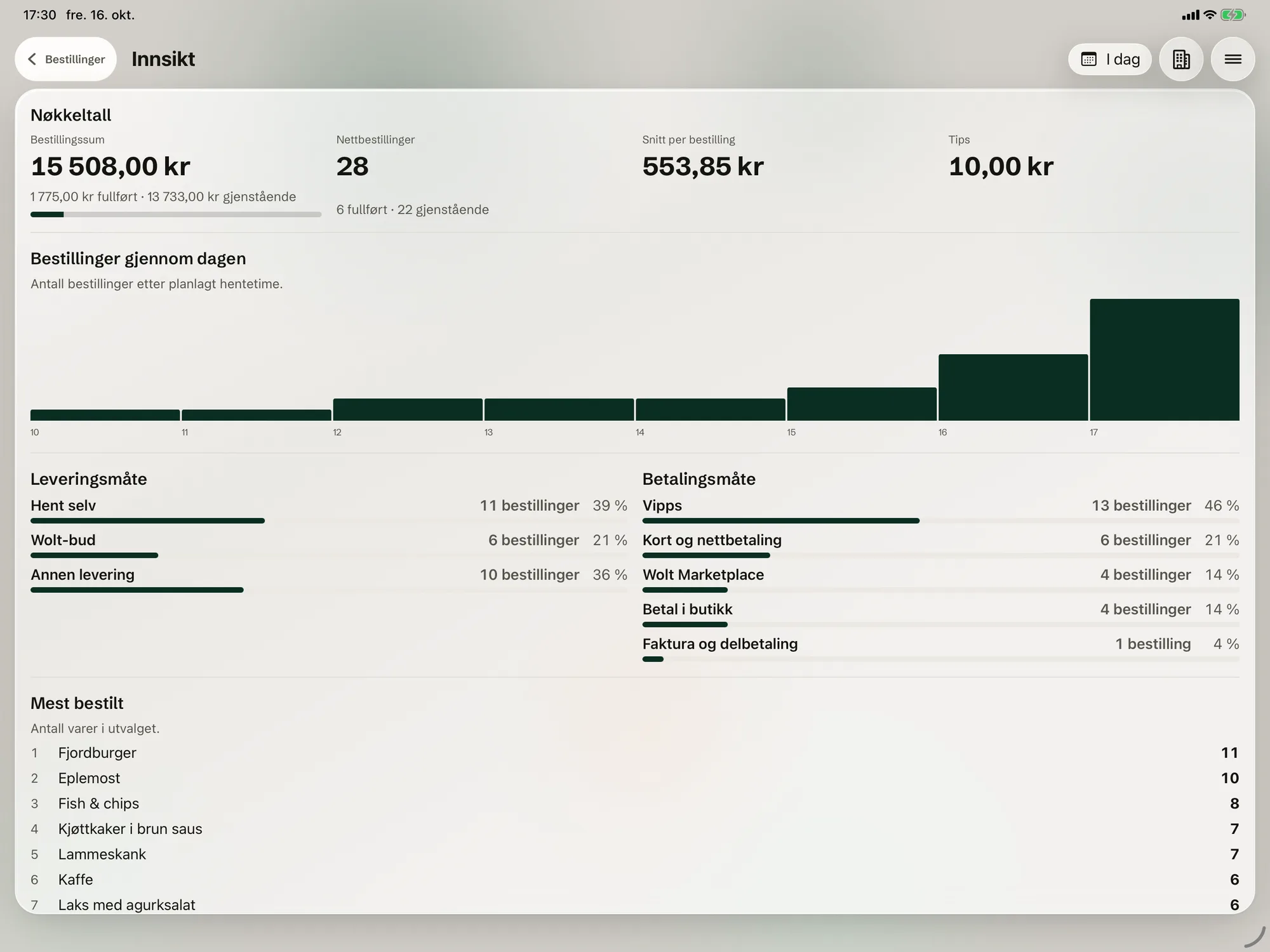
Completed orders and the day's key figures, delivery method and payment method.
Questions and answers
If the answer isn't here, we'll cover it in the demo.
Book a demoRuns on iPad and iPhone. See the equipment
Do Wolt and Foodora orders reach the kitchen screen?
What happens when a dish sells out?
What equipment does the kitchen need?
Can the kitchen use a phone?
What languages is the kitchen screen in?
See the kitchen screen with your own dishes.
We show you Okam with your own menu and tables.